Room Sharing App
Room Sharing App
Project type
Project type
UX/UI
UX/UI
Date
Date
March 2024
March 2024
Tools
Tools
Figma
Figma
Overview
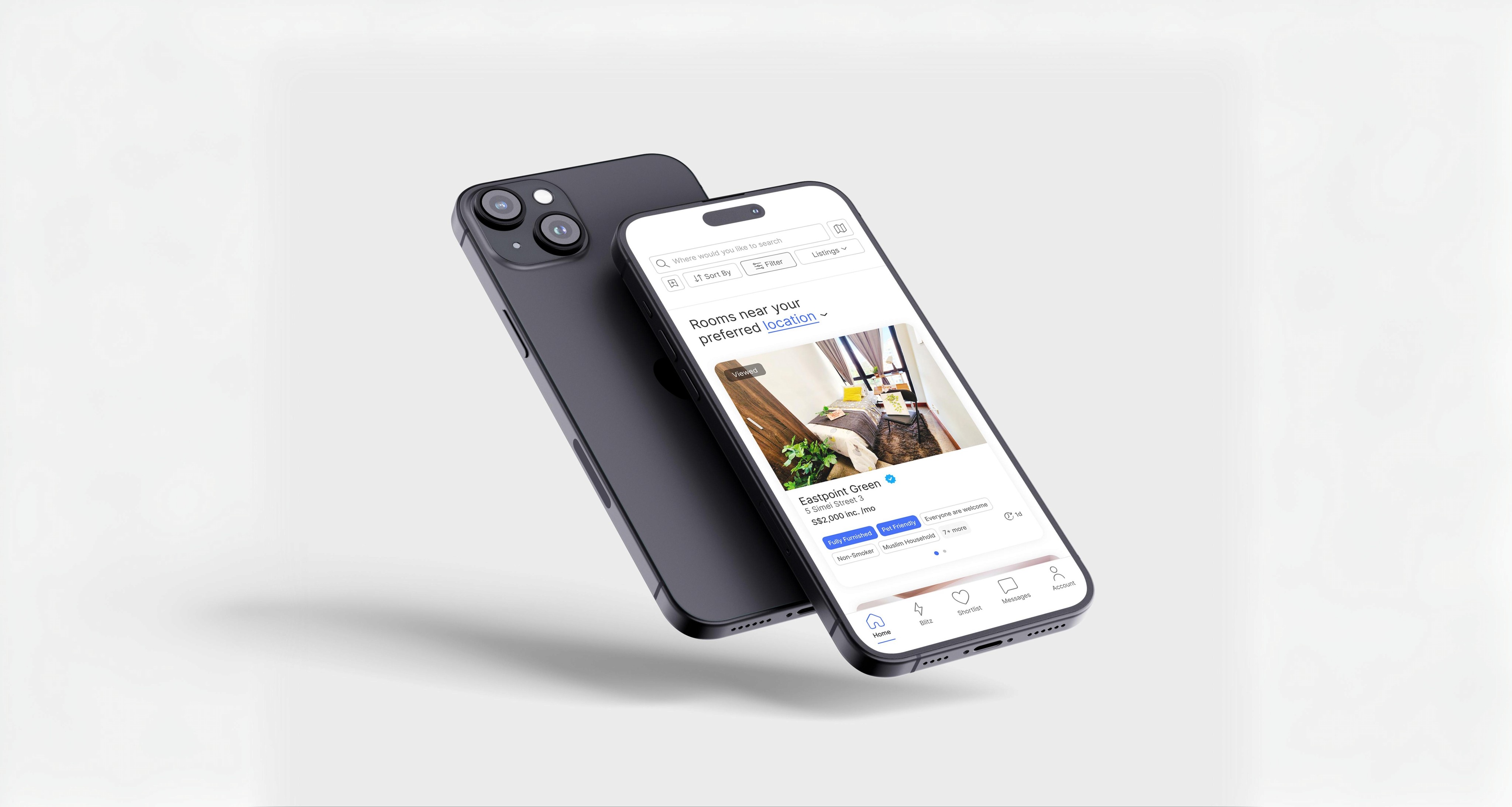
Finding a compatible roommate in Singapore can be a challenging and time-consuming process, especially for younger generation. This project aims to design a mobile product experience that appeals to younger generations by providing a secure, user-friendly platform to connect people seeking roommates with those offering shared apartments. The twist of this app, that is far more social than most of rental apps. You can get working figma prototype in this link
There are following specifications:
Finding a compatible roommate in Singapore can be a challenging and time-consuming process, especially for younger generation. This project aims to design a mobile product experience that appeals to younger generations by providing a secure, user-friendly platform to connect people seeking roommates with those offering shared apartments. The twist of this app, that is far more social than most of rental apps. You can get working figma prototype in this link
*See full case study on desktop/laptop version
There are following specifications:
Screen Size
Screen Size
IPhone 13 & 14, 390 x 844px.
IPhone 13 & 14, 390 x 844px.
Font
Font
Inter
Inter
Overview
User-Flow/Site Map
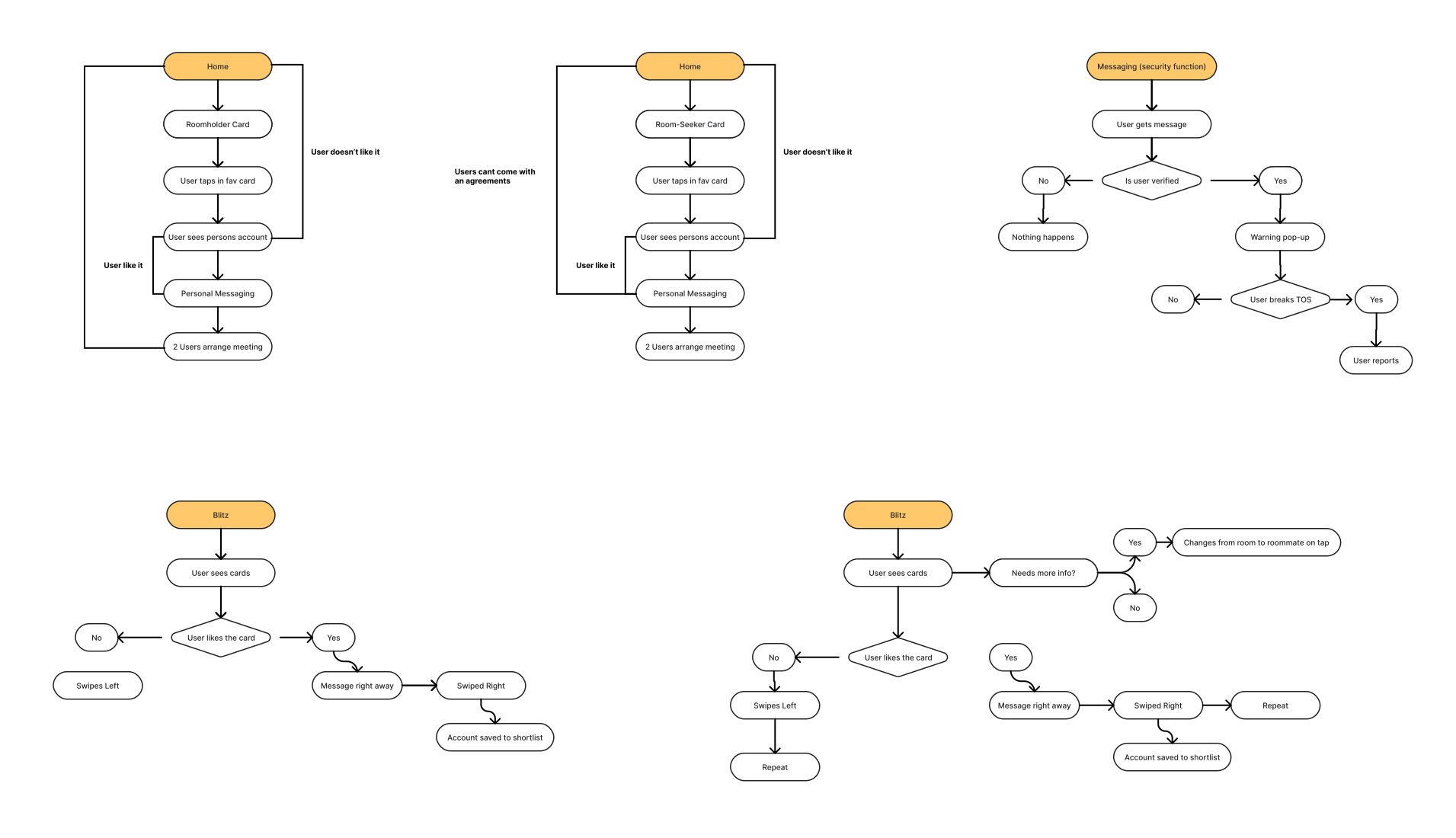
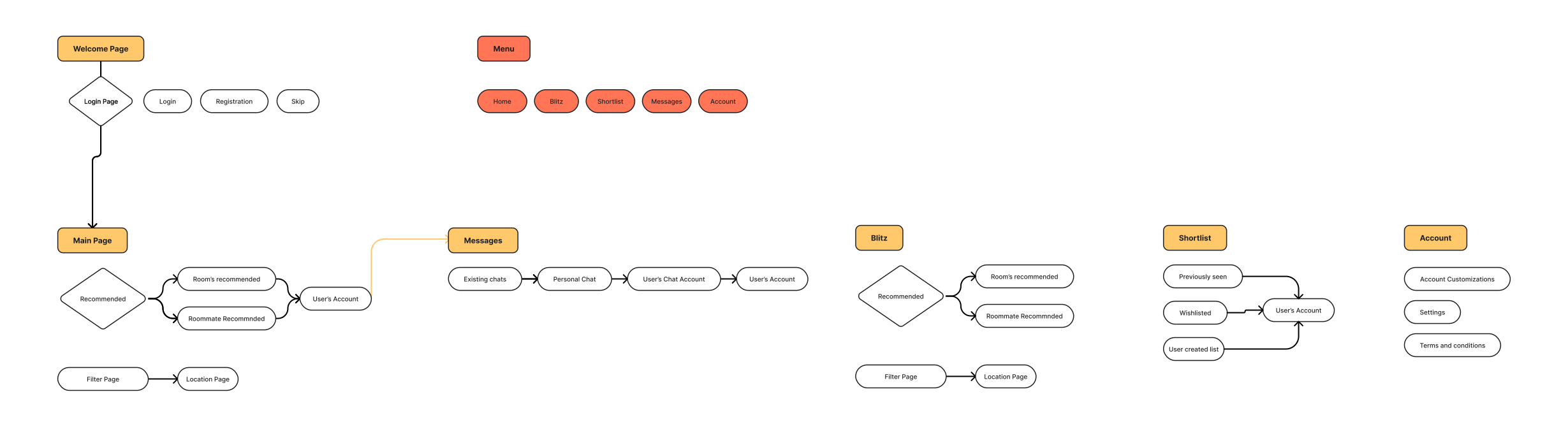
Before starting with UX/UI design, I began by creating a User-Flow and Site Map. I used both tools this time because there are few apps with the same core concept, so I needed to build my own framework.
Before creating the User-Flow, I first developed a User Persona to better understand the target audience and their needs
More about User-Persona:
Click here to expand
After identifying my target audience, the User-Flow illustrates how users will interact with the app, their behavior, and how they navigate. The Site Map complements the User-Flow by providing a clearer understanding of the app's structure
Main Page
Profile
Filter
Map
Messages
Chat
Without Grid
With Grid
With Grid And Spacing
Low-Fidelity
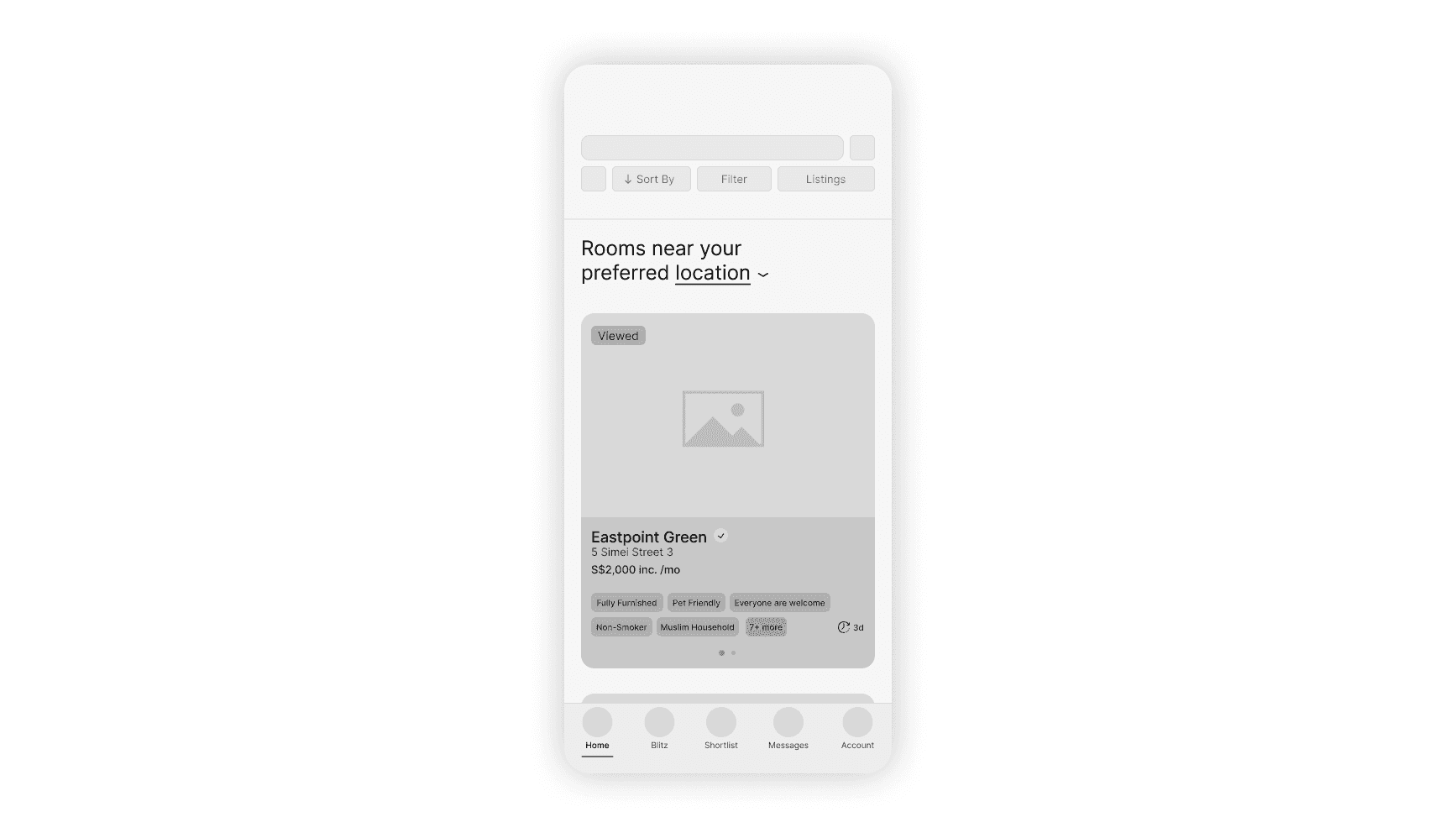
This Low-Fidelity is very different from my previous projects, as it’s more of a mix between Low-Fidelity and Medium-Fidelity. Instead of just creating a basic skeleton by placing UX/UI elements roughly, I wanted this layout to be closer to the final product. Some elements are already more refined. For example, the spacing and alignment between elements have been calculated beforehand, making the layout more consistent.
Attention to detail is also present—such as including the publishing date in each container, which I would normally add later on.
Another key difference is that I made decisions about the font early in the process. This helped me be more certain about the placement and weight of text in each element. That’s a big deal, because it reduces the need for major changes when transitioning to High-Fidelity, which usually some inconsistency of elements, text and spacing
Without Grid
With Grid
With Grid And Spacing
Video Example
Grids Off
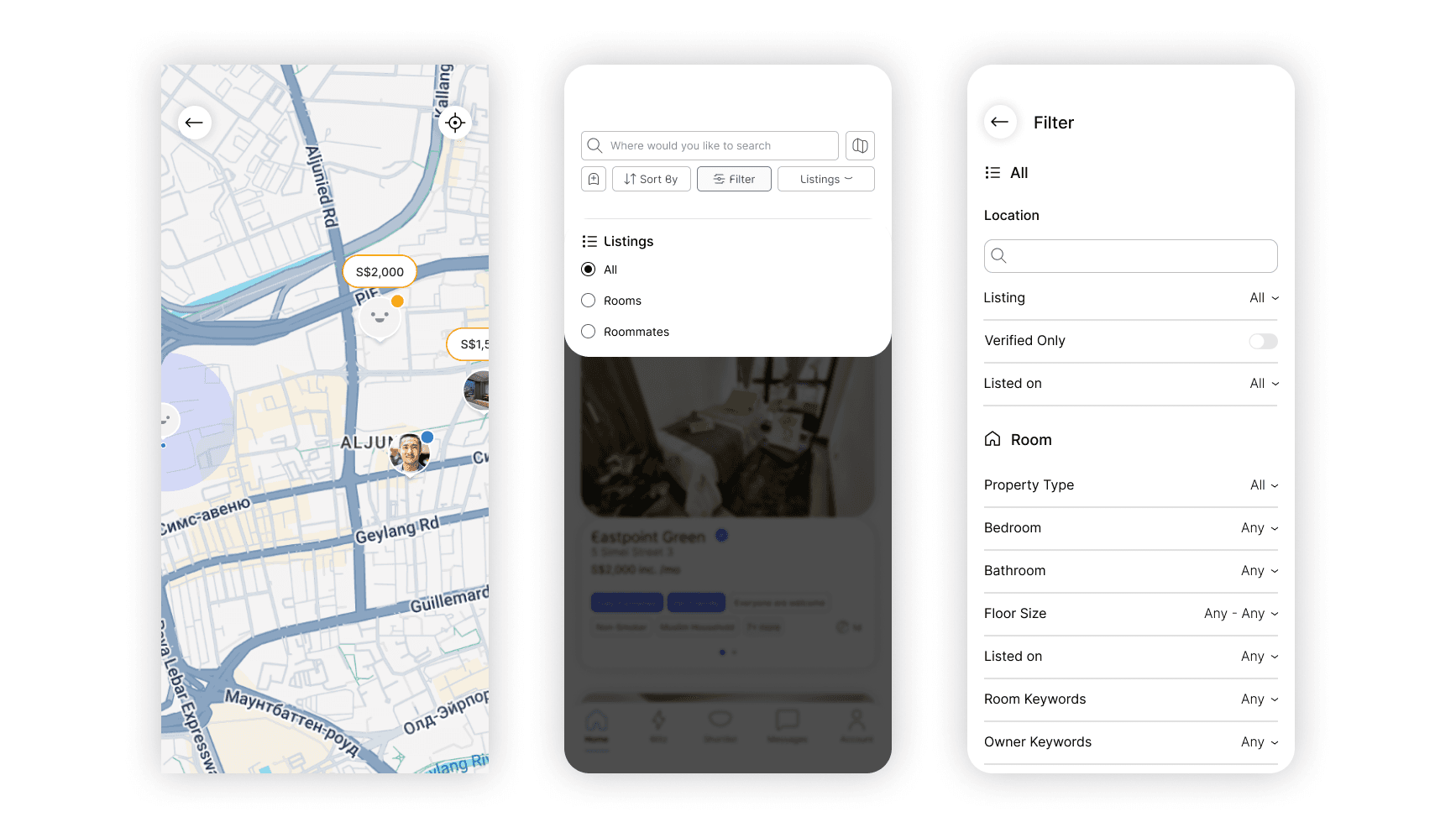
Main Page
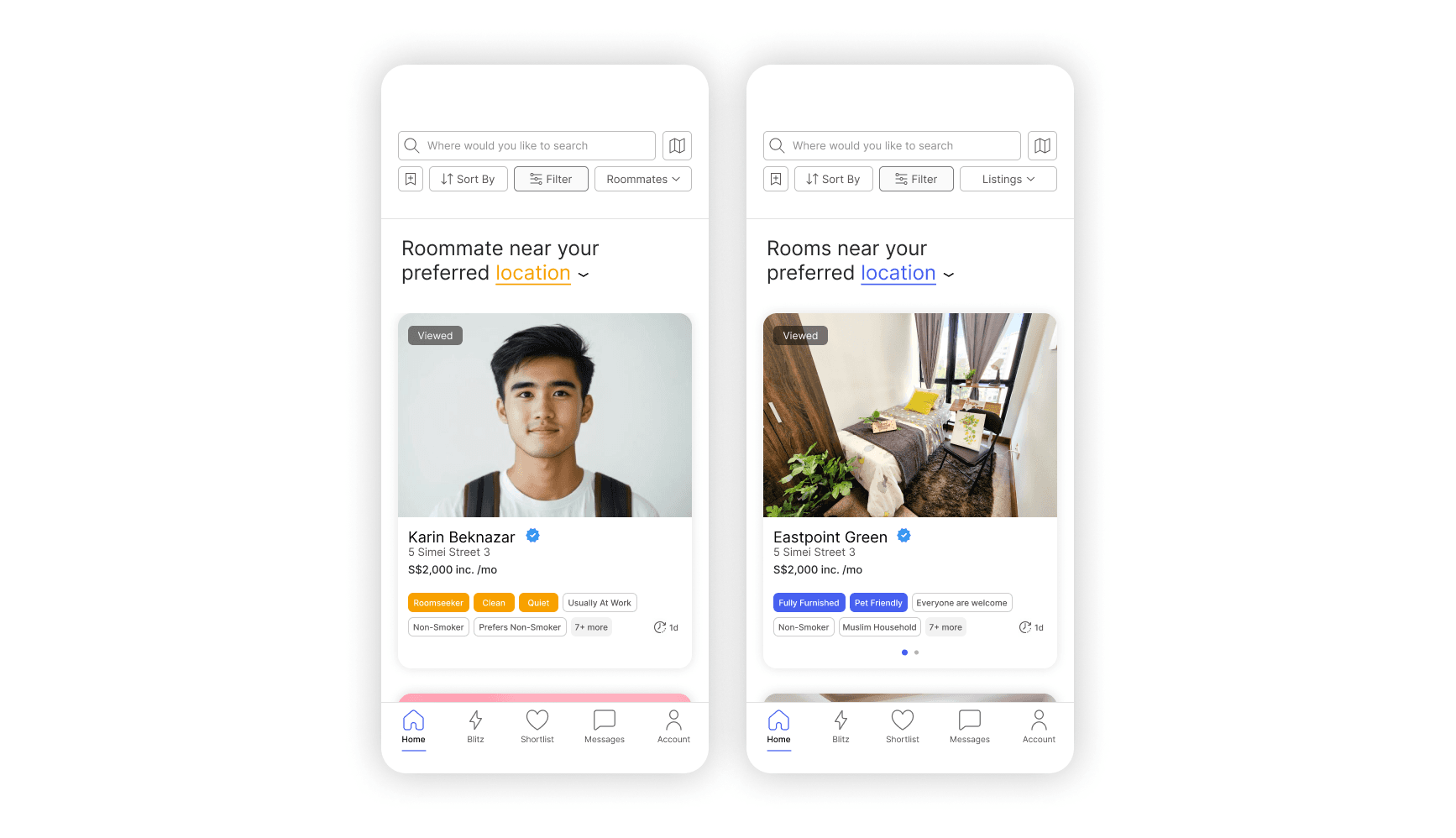
The main page — more specifically, the search page — has several key functions. Before diving into them, let’s first clarify the design context and system this app operates within
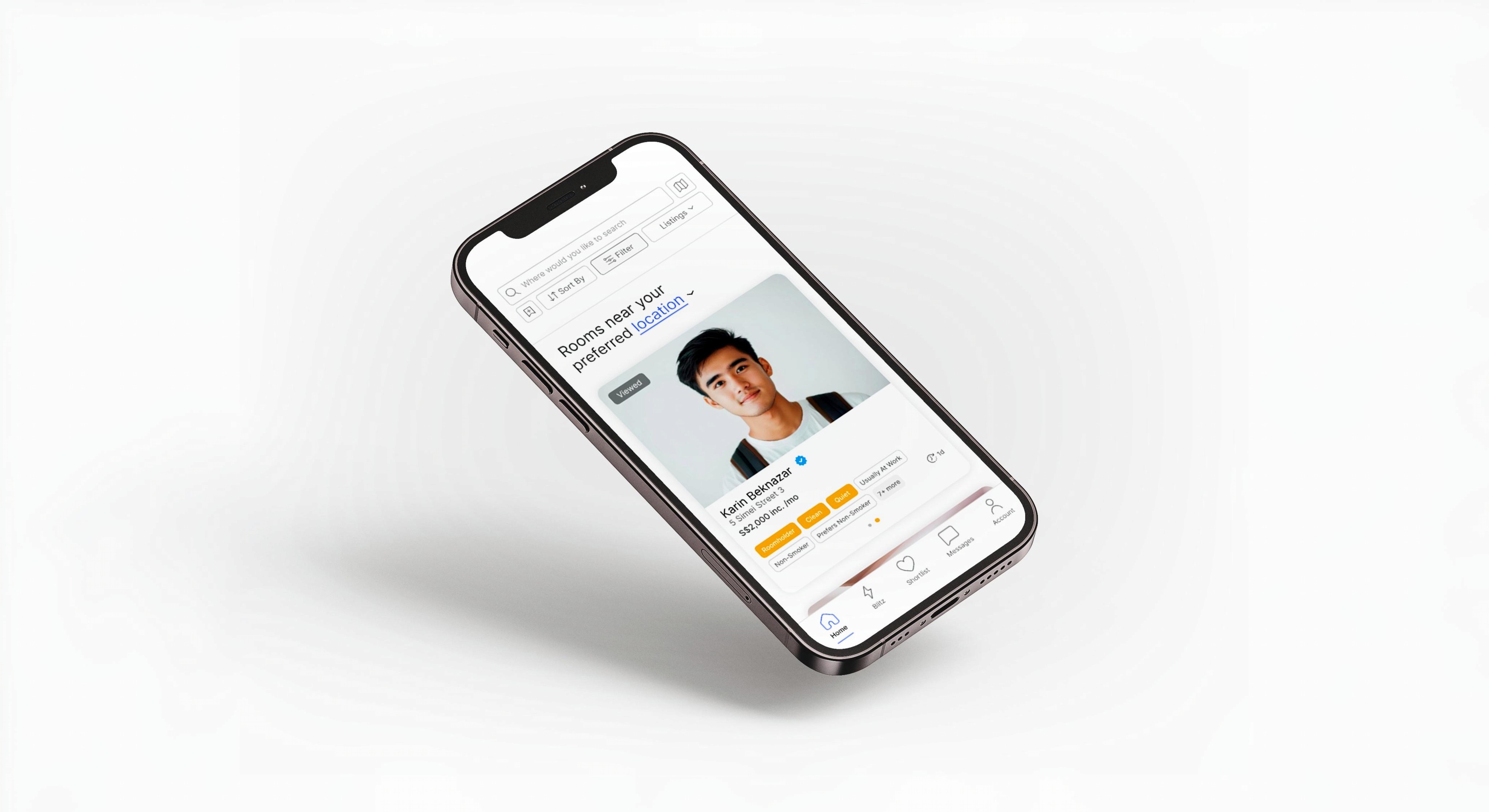
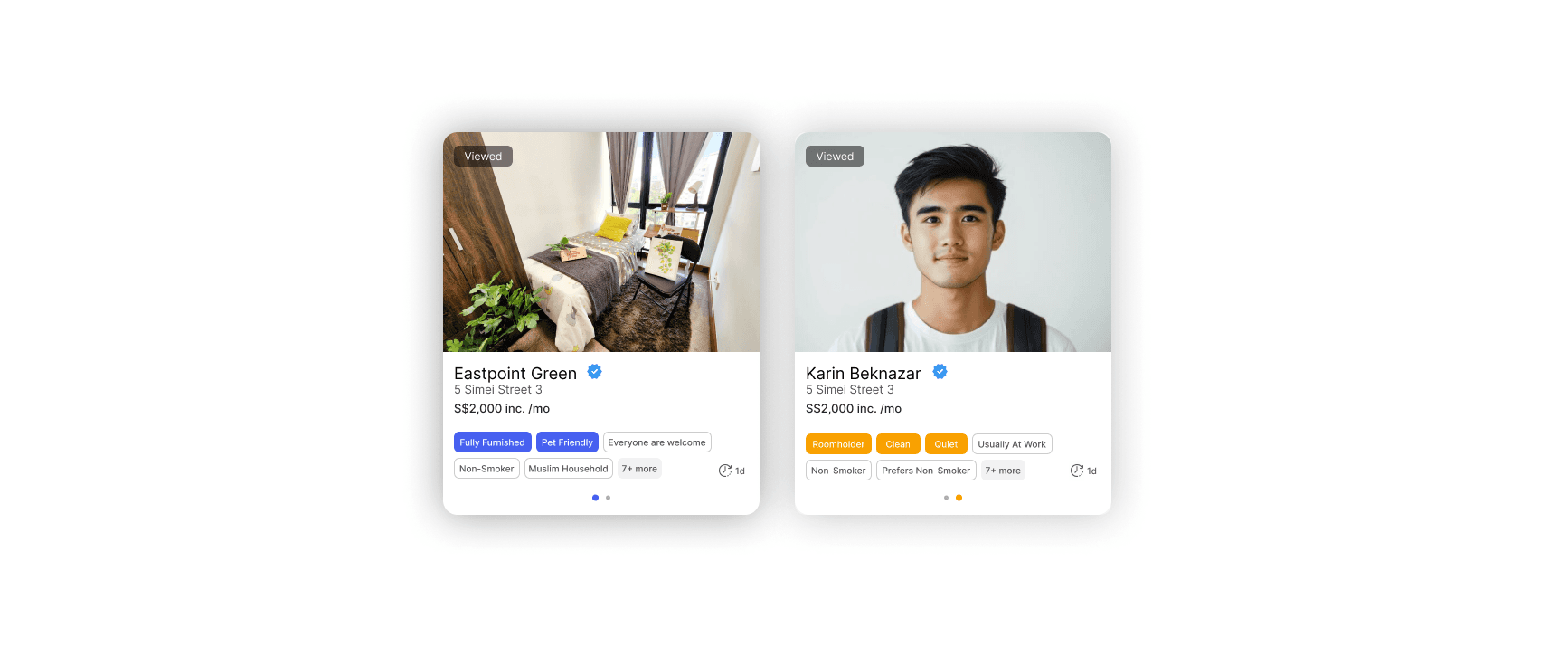
In my room-sharing app, users are divided into two categories: Roomholders and Roomseekers. During registration, users must select one of these two roles. To visually distinguish between them, each role is associated with a color: Roomholders are blue, and Roomseekers are orange
Now that the design system is established, let’s go over each page functions
Cards:
Click here to expand
Navbar:
Click here to expand
Without Grid
With Grid
With Grid And Spacing
Video Example
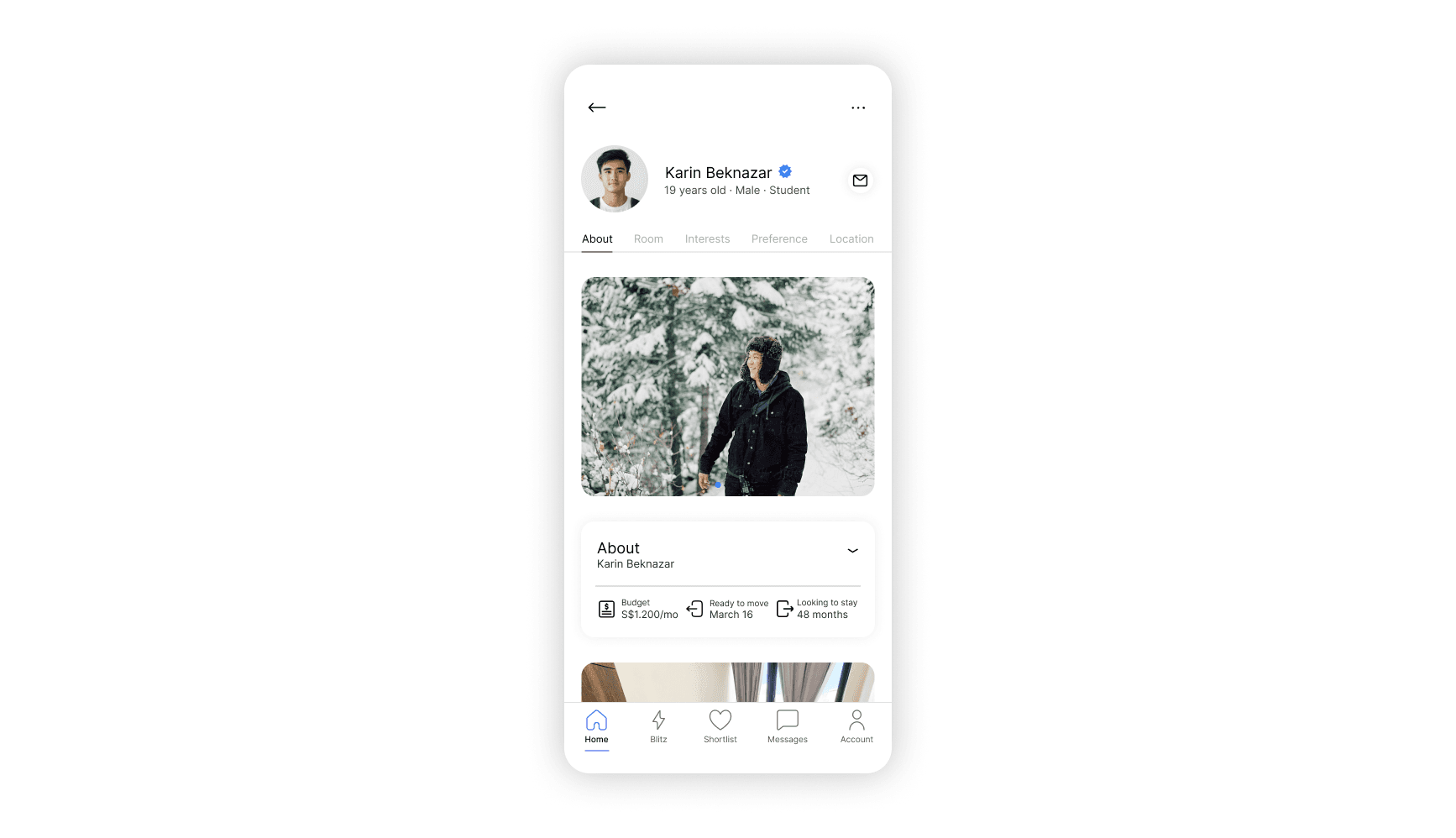
Cards Closed
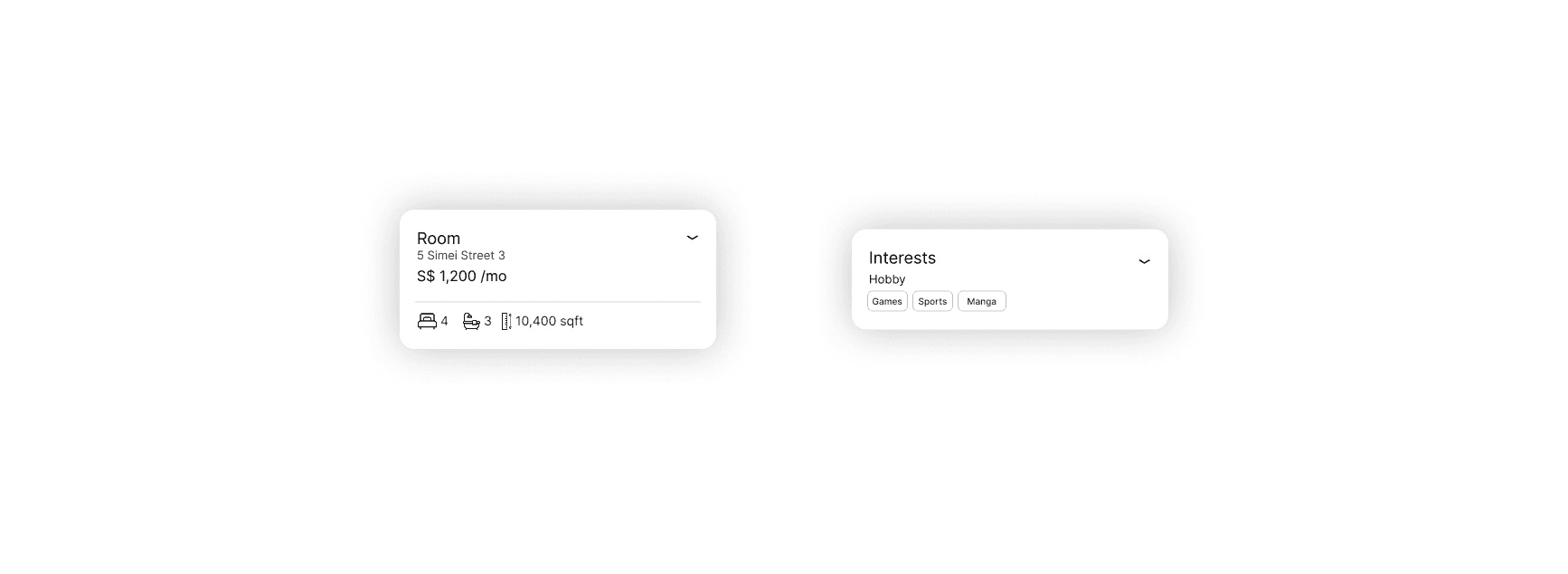
Profile Page
As mentioned in the overview, my goal was to make this app a more social alternative to typical rental platforms. The Profile Page plays a key role in that direction by drawing from social media profiles, allowing users to share photos, hobbies, interests, and even ideologies
This is where the chip system comes in play
During registration, users select from a set of pre-made chips that reflect their personality, lifestyle, and preferences. These same chips are used as filters in the search page, creating consistency across the platform.
Profiles display two main cards for chips display: Interests and Preferences:
Interests:
Click here to expand
Preferences:
Click here to expand
By visualizing these traits through chips, users can assess compatibility at a glance. This system not only improves clarity, plays role in search engine, matching people but also part of the distinct visual system of this app, which makes it different from others
Finally let's briefly talk about cards. There total 8 amount of cards: Person Photo, About, Room Photo, Interests, Preference, Map, CTA, Warning.
Each of them allows users to learn about each other. They can collapse or open it to avoid any unnecessary information. The CTA, is simple reminder that they can message person and warning warns other about their verification statues. Cards are designed the same way as a cards in searching page
Without Grid
With Grid
With Grid And Spacing
Video Example
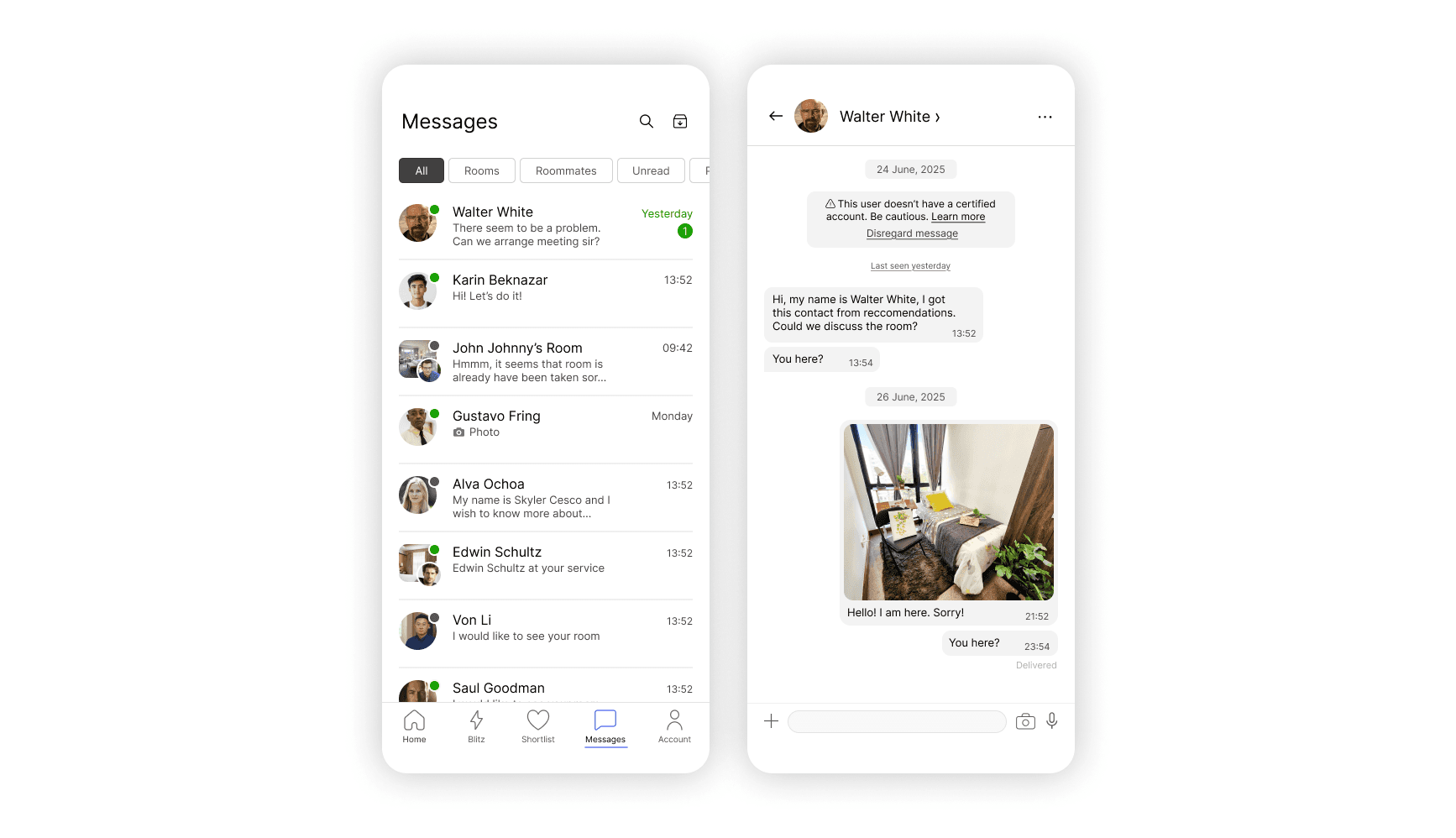
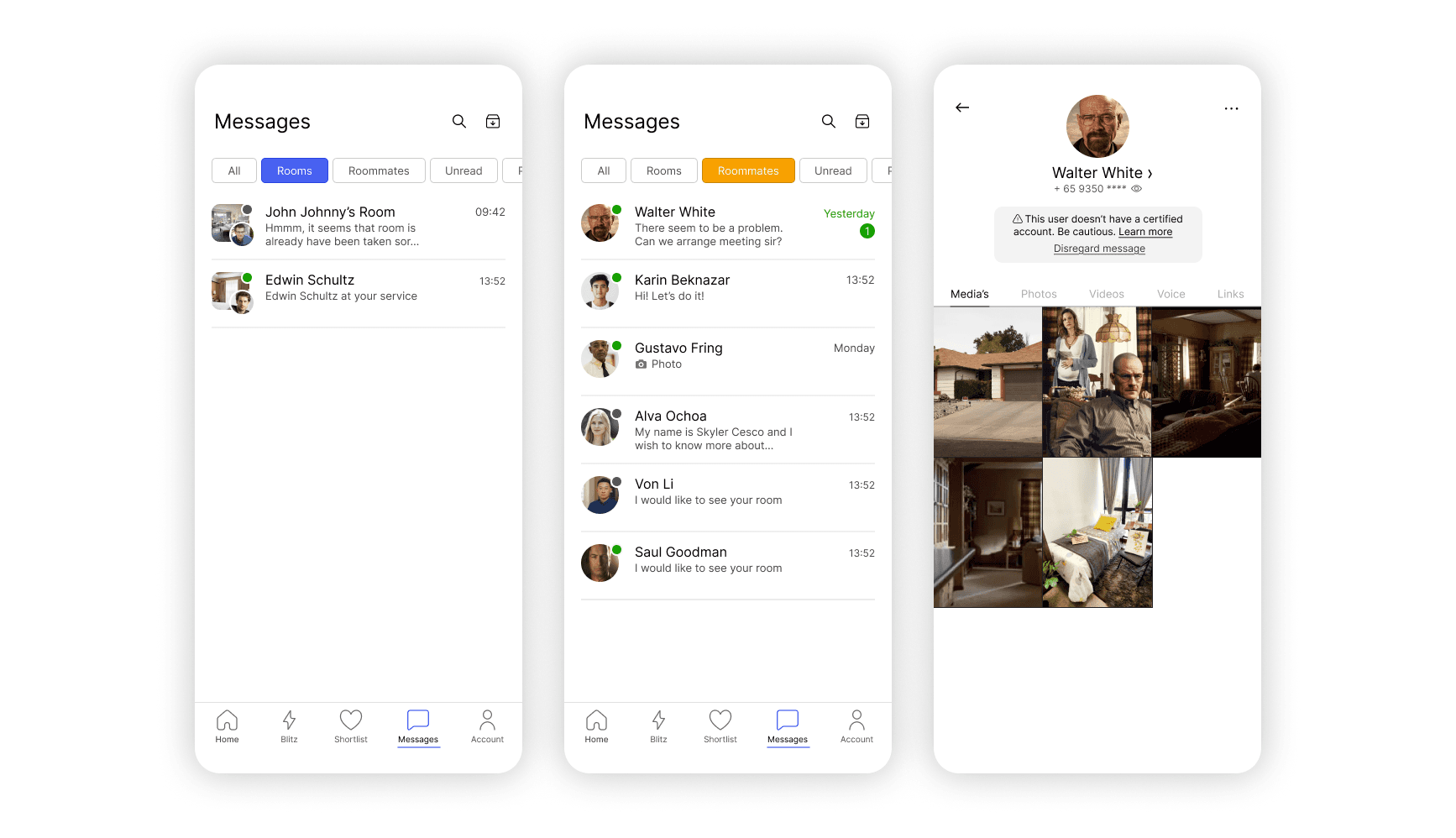
Messaging Page
This page is similar to many pages in social media and rental apps. However, let's talk about a few distinct parts:
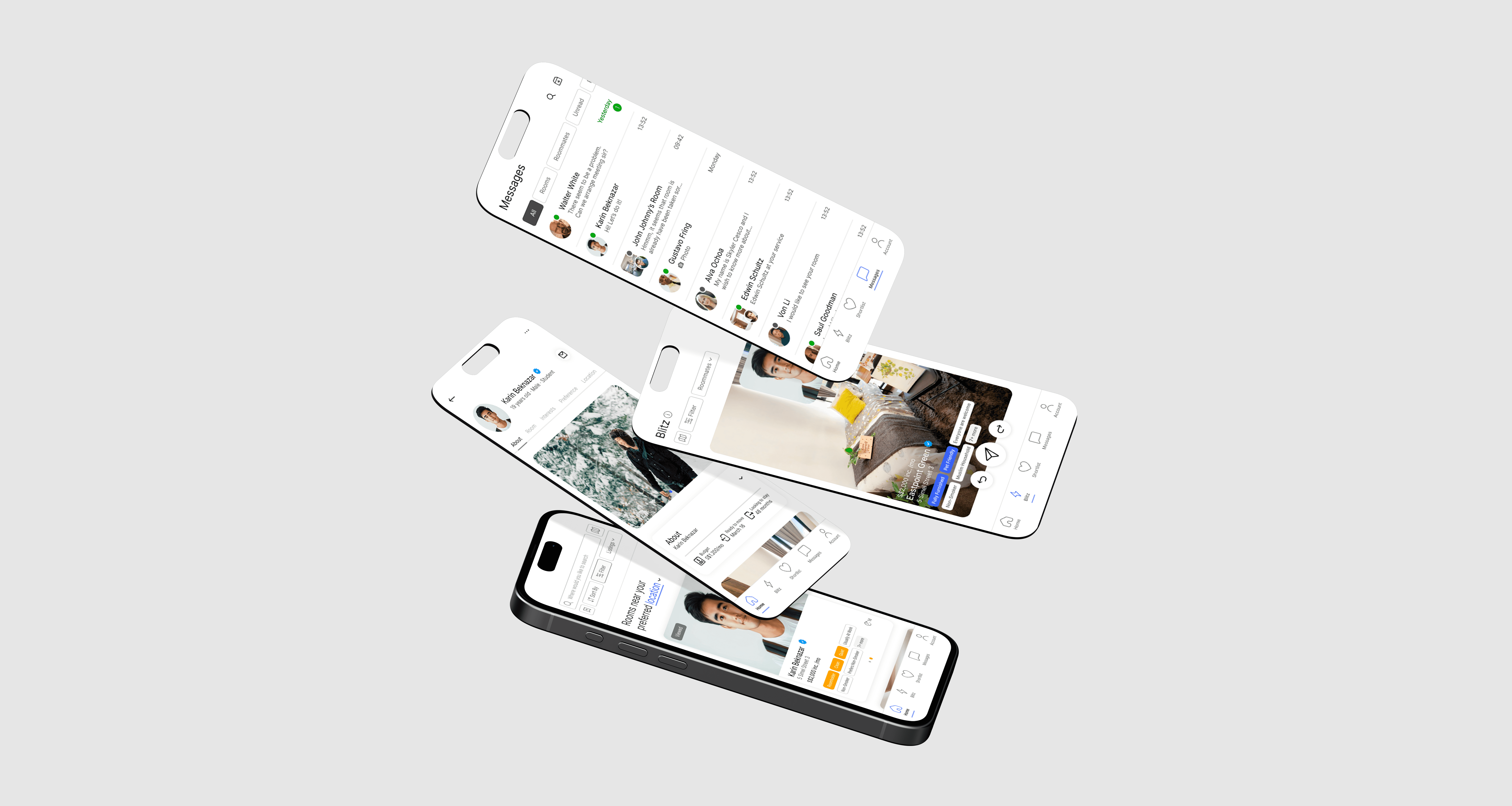
· The colors orange and blue are visually present on this page; the rooms and roommates are highlighted with their corresponding color
· Both pages, the Messages and the Chat, show every variation of information. For example, in the Messages page, I showed active and inactive signs, how the profile pic of Roomseekers and Roomholders would look, and how messages and images are previewed
· The same warning from the Profile page pops up in Chat. This is a security measure for the users.
Blitz Page
This is the most fun and unique part of the entire app. To make it stand out, I introduced a feature called "Blitz". Inspired by Tinder’s iconic swipe interaction, I always wondered why more apps didn’t adopt this format, so I decided to bring it into mine
The interaction is simple and intuitive: swipe right to like, swipe left to pass. While it shares similarities with the search page, "Blitz" is designed to feel more dynamic and playful. What makes it especially engaging is that both Roomseekers and Roomholders can actively swipe creating a natural meeting point between the two roles
If both users swipe right on each other, a match is formed and a they message each other automatically. If someone accidentally skips a profile, they can undo the swipe. For those who want to connect immediately, there's also a direct message option
All liked profiles are saved to a Shortlist, a dedicated space where users can revisit potential matches anytime.
Final Designs
Final Designs
Main Page
Profile Page
Messaging Page
Blitz Page